

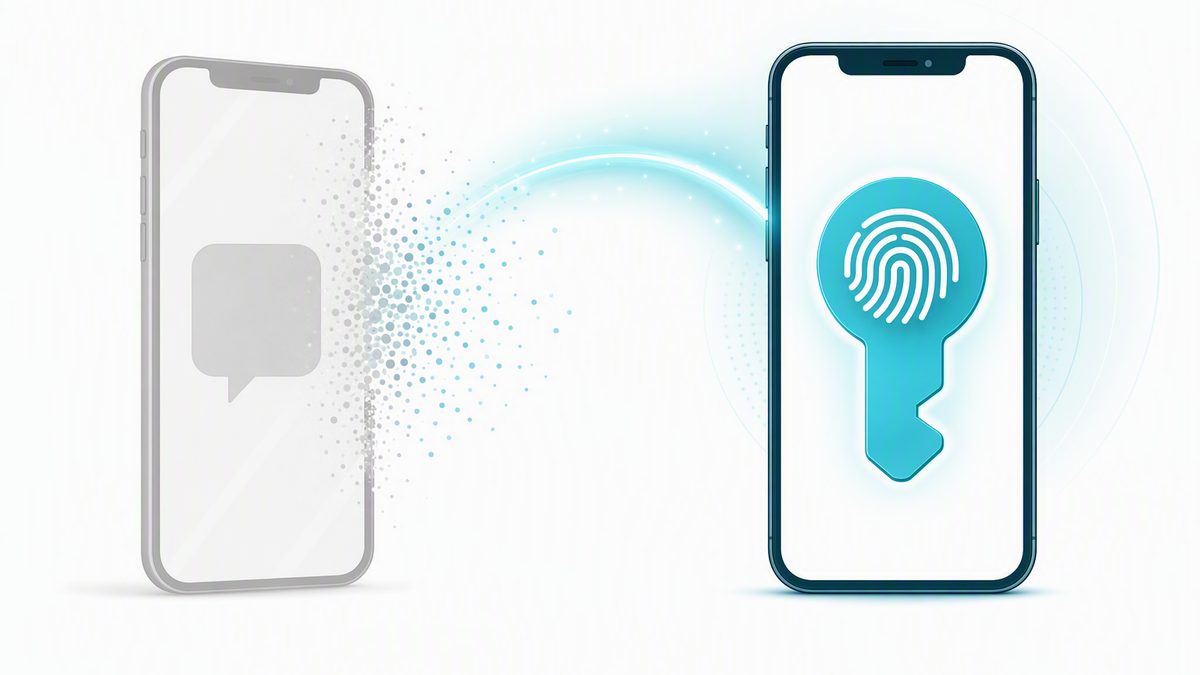
Microsoft is making passkeys the default sign-in method across Microsoft Entra, and is retiring Microsoft-provided SMS and voice-call verification. Passkeys become the default on September 1, 2026. Microsoft-provided SMS and voice are fully retired on February 1, 2027.
This is a platform change from Microsoft that applies to every Microsoft 365 tenant — it is not specific to your organization, and it is not something Fuse elected to do. What Fuse controls is the pace.
Fuse has applied Microsoft's temporary opt-out to the environments we manage. Your users will not be swept into the automatic September 1 change or start seeing unexpected passkey prompts that week. Instead, Fuse begins a coordinated rollout for your organization on Thursday, October 1, 2026 — announced, supported, and sequenced by department rather than sprung on your team mid-morning.
This article explains what is changing, what your users will see and when, how to register a passkey, and the one budget decision this creates.
What is changing
Two related changes are on the way, on two different dates:
- Passkeys become the default. From September 1, 2026, Microsoft Entra presents the passkey as the recommended sign-in option. Users who are currently enabled for SMS or voice are automatically enabled for passkeys and prompted to register one when they next sign in.
- SMS and voice are retiring. From February 1, 2027, Microsoft-provided SMS and voice-call delivery for multi-factor authentication and self-service password reset are retired from Entra entirely.
Between those two dates the change is gentle by design. Existing sign-in methods keep working, and a user who is not ready can dismiss the prompt. That grace period ends on February 1.
What Fuse has already done
Microsoft provides a documented, temporary opt-out from the September 1 automatic enablement, intended for organizations that want to complete their transition on a controlled schedule. Fuse has applied it to the environments we manage.
The practical effect: your users are not auto-enrolled on September 1 and will not receive unscheduled prompts. Fuse turns passkeys on for your organization from October 1, with your team told in advance what to expect. The opt-out is temporary and expires on February 1, 2027 — Microsoft has been explicit that the February enforcement applies to every tenant regardless of this setting. It buys a controlled rollout, not an exemption.
The February 1 prompt is blocking, and there is no opt-out
After February 1, 2027, a user whose only remaining method is SMS or voice must register a passkey during sign-in before they can continue into their account. Microsoft has stated this is enforced for all tenants with no opt-out. A user who has registered a passkey in advance never sees it.
Why Microsoft is making this change
A passkey is a phishing-resistant credential that lives on the device and unlocks with a fingerprint, face, or PIN. There is no one-time code to steal, forward, or phish, and the credential never leaves the device. Microsoft has pointed to the sharp rise in AI-assisted phishing as the reason for the shift.
A code delivered by text message or voice call travels across the public telephone network, which was never designed as a security channel. SIM swapping, number porting, and message interception all capture those codes without ever touching the account itself.
How a passkey differs from the app prompt you use today
This is the part worth reading twice, because most teams already use the Microsoft Authenticator app and reasonably assume they are already covered. Approving a push notification is genuine multi-factor authentication, but it is not the same protection as a passkey.
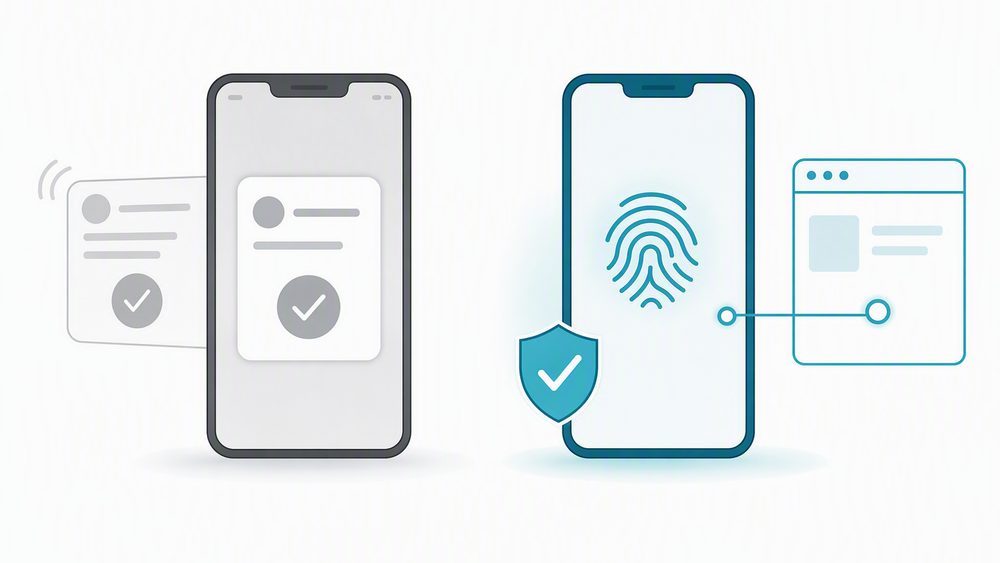
| Authenticator push prompt (today) | Passkey (the new default) |
|---|---|
| Microsoft sends a prompt to your phone and you tap Approve, sometimes after matching a number. | You approve with your fingerprint, face, or device PIN. There is no code and no prompt to relay. |
| It confirms it is probably you — but not which site is asking. | It is tied cryptographically to the real Microsoft sign-in page and checks the site's identity before responding. |
| An attacker running a look-alike login page can relay the prompt to your phone, and a moment of inattention approves their sign-in. | A passkey physically cannot be used on a fake or look-alike site. |
In short: a push prompt confirms it is probably you; a passkey confirms you are on the real Microsoft site and that it is you. That is what phishing-resistant means in practice.
How to register a passkey
For most people the passkey lives inside the Microsoft Authenticator app that is already installed — there is no new app to download. Registration takes about five minutes.
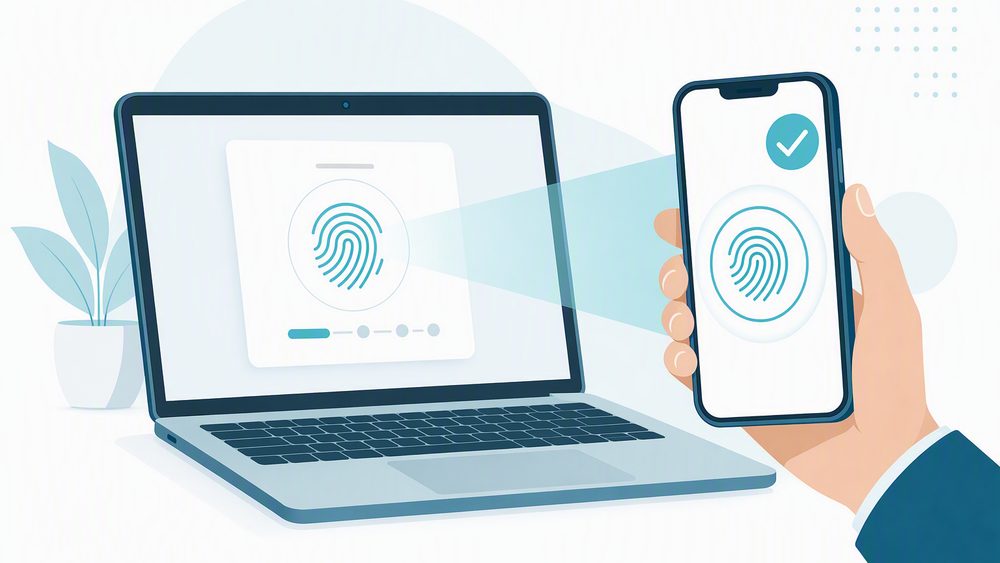
- Register once. When prompted at sign-in, choose to set up a passkey. On mobile this happens directly in the Authenticator app. On a work laptop you may be asked to scan a code with your phone to link the two.
- Confirm with biometrics. Registration is confirmed with your fingerprint, face, or device PIN — the same unlock you already use on your phone.
- Sign in from then on. Select the passkey option, confirm with your fingerprint, face, or PIN, and you are in. No password, no code, no prompt to approve.
You can also register ahead of any prompt at aka.ms/mysecurityinfo by signing in with the work account and choosing Add sign-in method.
Passkeys are also supported on Windows Hello for Business and on FIDO2 hardware security keys, for roles that prefer those over a phone. If your role requires a specific type, Fuse will tell you as part of the rollout.
What this means for your budget
Today Microsoft absorbs the cost of delivering SMS and voice codes. After February 1, 2027, an organization that still needs phone-based codes has to bring its own telecom provider through the Microsoft Security Store — turning a previously included feature into a metered, per-message charge.
Passkeys carry no such fee. They are included in every Microsoft Entra plan at no additional cost. Moving to passkeys ahead of the retirement date is both the more secure option and the one that keeps a new line item off your bill.
If you have a genuine need to keep SMS, plan it now
Some regulated scenarios genuinely require an out-of-band text message. Microsoft opens telecom provider details on September 18, 2026, and configuration from October 30, 2026. If that applies to you, tell us which regulation or scenario drives it and we will scope the provider decision with you well before February.
How Fuse Networks is preparing your environment
- Hold the September date. Apply Microsoft's temporary opt-out so your users are not auto-enrolled on September 1. Done.
- Enable passkeys. Turn on passkey (FIDO2) authentication methods in your Microsoft Entra policy, effective October 1.
- Identify who is affected. Report on which of your users are still enabled for SMS or voice, so the rollout targets the right people.
- Communicate early. Tell your team what is changing and why, before the prompts start appearing.
- Guide enrollment. Help users register a passkey on their device, or issue a hardware security key where a phone will not work.
- Retire phone dependencies. Review any sign-in flow still using SMS or voice and move it off before February 1, 2027.
What to look at on your side
- Shared and departmental accounts — reception, accounts payable, and similar mailboxes need a decision about which device holds the passkey.
- Staff with no assigned cell phone — warehouse, production, retail, and field roles are the usual candidates for a hardware security key.
- Service accounts used by line-of-business applications, copiers, scanners, and monitoring tools.
- Seasonal and part-time users who sign in rarely and may never see a prompt before February.
Key dates
| Date | Milestone |
|---|---|
| September 1, 2026 | Microsoft's automatic enablement begins tenant-wide. Fuse-managed environments are opted out, so your users see no change and no prompts. |
| October 1, 2026 | Fuse begins your managed rollout. Passkeys are enabled for your organization and enrollment starts, sequenced by department with Service Desk support. |
| October 30, 2026 | Telecom providers become selectable through the Microsoft Security Store, for the rare cases that genuinely require SMS. |
| February 1, 2027 | Microsoft-provided SMS and voice are fully retired and the opt-out expires. Users without a phishing-resistant method face a blocking registration prompt. |
Common questions
| Question | Answer |
|---|---|
| Do we have to do anything on September 1? | No, and your users will not see anything either. Fuse has opted your environment out of the automatic September 1 enablement. Your rollout begins October 1 on a schedule we set together. |
| Why not just let the September 1 change happen? | Because it arrives unannounced, mid-workday, with no support scheduled around it. A controlled October start lets us brief your team first and sequence enrollment by department. |
| Will anyone be locked out of their account? | No one loses their account. After February 1, a user whose only method is SMS or voice must register a passkey before continuing into a sign-in. Registering in advance avoids it entirely. |
| Is the Authenticator app still needed? | Yes. For most users the passkey lives inside the Authenticator app they already have. It is the method that changes, not the app. |
| What if a user gets a new phone? | Contact the Fuse Service Desk. We verify identity and reset the registration so the user can set up a passkey on the new device. |
| What about users with no suitable phone? | A FIDO2 hardware security key or Windows Hello for Business on a managed workstation covers them. Tell us who they are and we will plan for it. |
| Does this cost anything? | Passkeys are included in every Entra plan at no additional cost, and enrollment support is part of your Fuse Advantage coverage. Only keeping SMS after February 1 introduces a new cost. |
Talk to us
Partner with Fuse Networks and we will handle the passkey rollout, the user communication, and enrollment for your team, so this transition stays calm and predictable. If you would like the list of your users still on SMS or voice, contact us and we will pull it.
Fuse Networks Service Desk
| (888) 676-3873 | (855) GET-FUSE
Source: Microsoft 365 Message Center reference MC1426371, and Microsoft Entra documentation, Passkeys by default and retirement of Microsoft-provided SMS and voice authentication. Search MC1426371 in your Microsoft 365 admin center for the complete official guidance.
Fuse Networks is a Tukwila-based managed services provider and a CRN MSP 500 company. Focus on your Business, not your Technology.