Fuse Networks has been serving the Tukwila area since 2009, providing IT Support such as technical helpdesk support, computer support, and consulting to small and medium-sized businesses.
Many small business owners assume their size keeps them invisible to modern cybercriminals. In reality, automated bots scan networks indiscriminately for unpatched software and weak passwords each and every second. You are not targeted for who you are, but for how easily your system can be breached.
Every October, Cybersecurity Awareness Month rolls around, and right on cue, the internet gets flooded with generic advice telling you to "stay safe online." Nevertheless, for the smart business owner, October isn't just another awareness campaign. It’s a great checkpoint to step back, review your daily routines, and close gaps before an automated script finds them for you.
Technology infrastructure isn’t built on software alone. It relies heavily on human habits. Even the most expensive security systems can fall apart because of a single reused password or an unpatched web browser.
Managing dozens of complex application logins creates severe password fatigue for employees trying to complete their daily tasks. When staff resort to password reuse, simple number additions, or paper notes just to stay productive, your entire corporate network becomes exposed to automated credential attacks.
When your team is trying to get things done, they will usually take the path of least resistance. Sometimes, that means bringing outside tools into your daily workflow without asking permission first.
While their intentions are harmless, this creates a quiet but serious risk to your organization's data and operational resilience.
It feels like every message your team receives is an attempt to steal money or compromise your network. Scammers target organizations constantly with increasingly refined tactics, making it impossible to stop bad actors from sending fraudulent requests. Are you out of luck? No. You can implement straightforward habits to protect your operation.
Daily operations rely heavily on technology, but subtle oversights in hardware management and security protocols quietly create severe operational risks. Identifying these routine gaps allows your organization to safeguard critical data, empower employees, and extract maximum value from existing tools without unnecessary spend.
As summer wraps up and seasonal employees head back to school or move on to new opportunities, business owners usually turn their focus toward the busy fall season. Unfortunately, departed team members often leave active digital credentials behind that quietly create massive security risks.
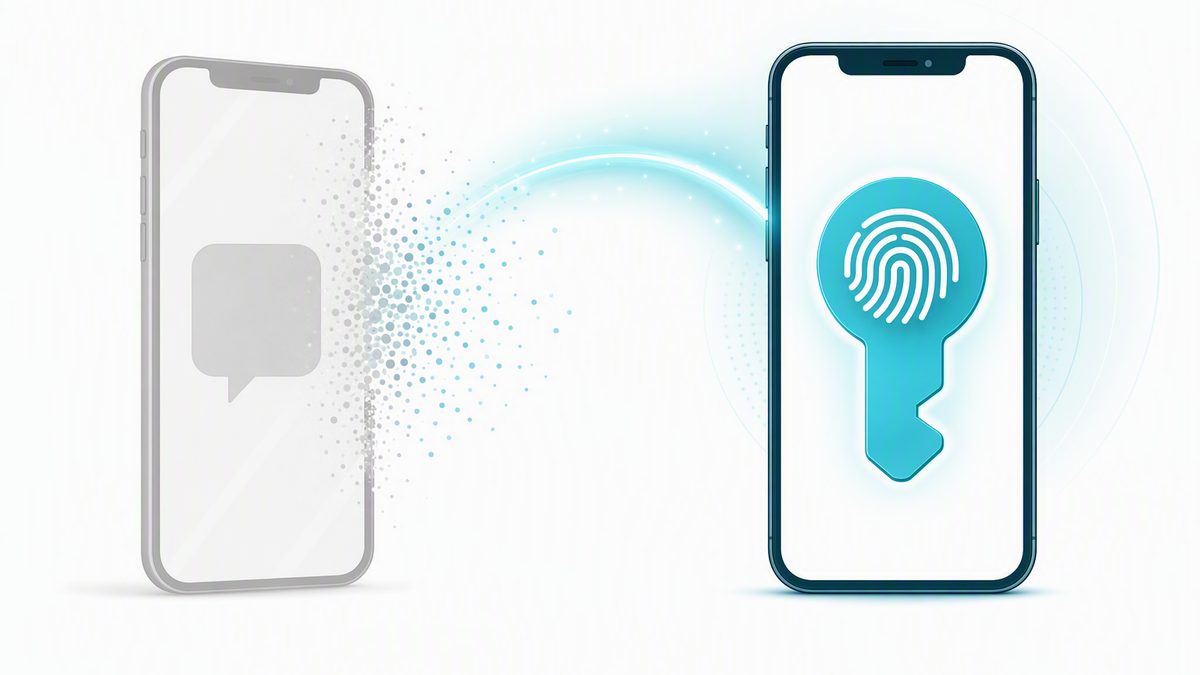
Microsoft is making passkeys the default sign-in method across Microsoft Entra, and is retiring Microsoft-provided SMS and voice-call verification. Passkeys become the default on September 1, 2026. Microsoft-provided SMS and voice are fully retired on February 1, 2027.
This is a platform change from Microsoft that applies to every Microsoft 365 tenant — it is not specific to your organization, and it is not something Fuse elected to do. What Fuse controls is the pace.
Fuse has applied Microsoft's temporary opt-out to the environments we manage. Your users will not be swept into the automatic September 1 change or start seeing unexpected passkey prompts that week. Instead, Fuse begins a coordinated rollout for your organization on Thursday, October 1, 2026 — announced, supported, and sequenced by department rather than sprung on your team mid-morning.
This article explains what is changing, what your users will see and when, how to register a passkey, and the one budget decision this creates.
What is changing
Two related changes are on the way, on two different dates:
Passkeys become the default. From September 1, 2026, Microsoft Entra presents the passkey as the recommended sign-in option. Users who are currently enabled for SMS or voice are automatically enabled for passkeys and prompted to register one when they next sign in.
SMS and voice are retiring. From February 1, 2027, Microsoft-provided SMS and voice-call delivery for multi-factor authentication and self-service password reset are retired from Entra entirely.
Between those two dates the change is gentle by design. Existing sign-in methods keep working, and a user who is not ready can dismiss the prompt. That grace period ends on February 1.
What Fuse has already done
Microsoft provides a documented, temporary opt-out from the September 1 automatic enablement, intended for organizations that want to complete their transition on a controlled schedule. Fuse has applied it to the environments we manage.
The practical effect: your users are not auto-enrolled on September 1 and will not receive unscheduled prompts. Fuse turns passkeys on for your organization from October 1, with your team told in advance what to expect. The opt-out is temporary and expires on February 1, 2027 — Microsoft has been explicit that the February enforcement applies to every tenant regardless of this setting. It buys a controlled rollout, not an exemption.
The February 1 prompt is blocking, and there is no opt-out
After February 1, 2027, a user whose only remaining method is SMS or voice must register a passkey during sign-in before they can continue into their account. Microsoft has stated this is enforced for all tenants with no opt-out. A user who has registered a passkey in advance never sees it.
Why Microsoft is making this change
A passkey is a phishing-resistant credential that lives on the device and unlocks with a fingerprint, face, or PIN. There is no one-time code to steal, forward, or phish, and the credential never leaves the device. Microsoft has pointed to the sharp rise in AI-assisted phishing as the reason for the shift.
A code delivered by text message or voice call travels across the public telephone network, which was never designed as a security channel. SIM swapping, number porting, and message interception all capture those codes without ever touching the account itself.
How a passkey differs from the app prompt you use today
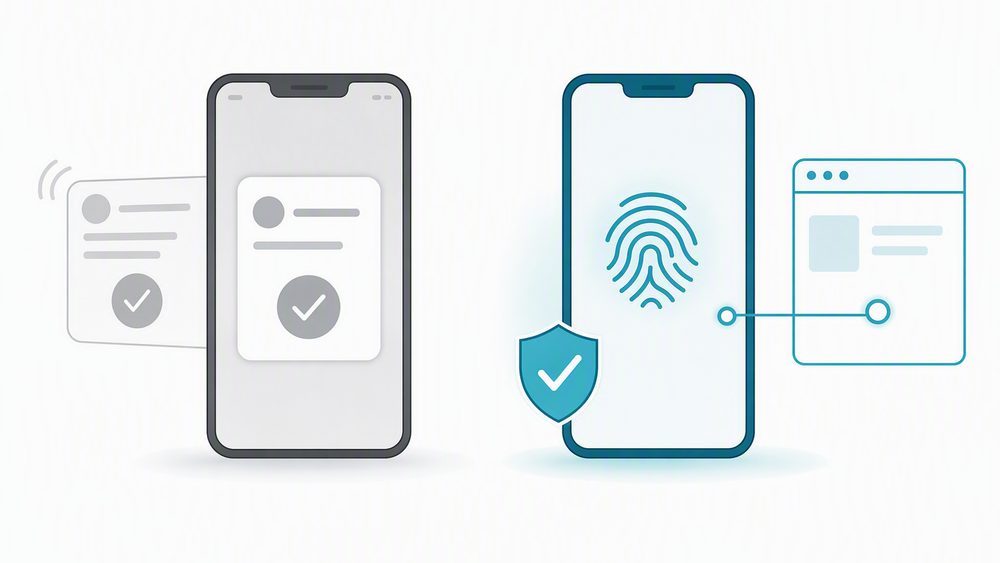
This is the part worth reading twice, because most teams already use the Microsoft Authenticator app and reasonably assume they are already covered. Approving a push notification is genuine multi-factor authentication, but it is not the same protection as a passkey.
Authenticator push prompt (today)
Passkey (the new default)
Microsoft sends a prompt to your phone and you tap Approve, sometimes after matching a number.
You approve with your fingerprint, face, or device PIN. There is no code and no prompt to relay.
It confirms it is probably you — but not which site is asking.
It is tied cryptographically to the real Microsoft sign-in page and checks the site's identity before responding.
An attacker running a look-alike login page can relay the prompt to your phone, and a moment of inattention approves their sign-in.
A passkey physically cannot be used on a fake or look-alike site.
In short: a push prompt confirms it is probably you; a passkey confirms you are on the real Microsoft site and that it is you. That is what phishing-resistant means in practice.
How to register a passkey
For most people the passkey lives inside the Microsoft Authenticator app that is already installed — there is no new app to download. Registration takes about five minutes.
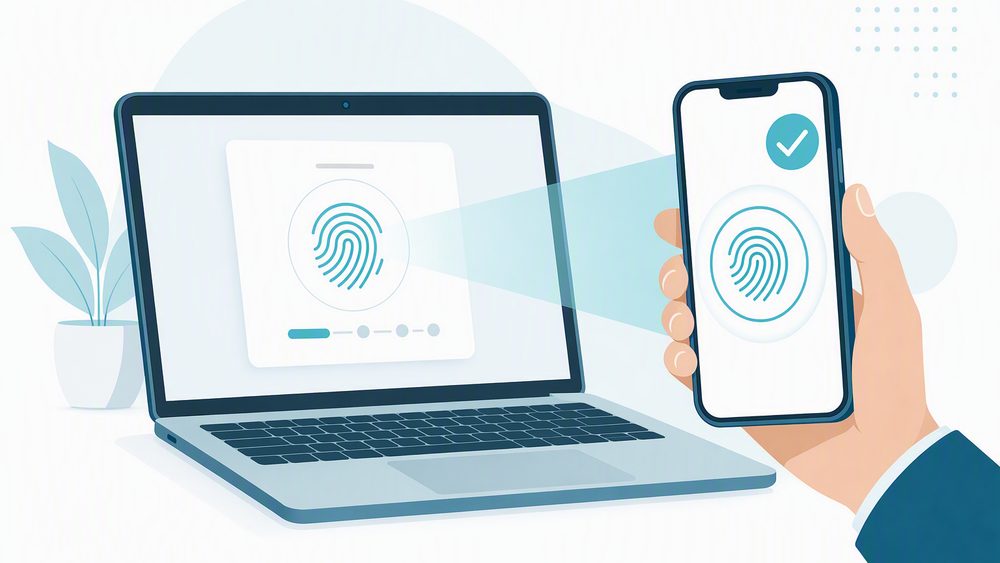
Register once. When prompted at sign-in, choose to set up a passkey. On mobile this happens directly in the Authenticator app. On a work laptop you may be asked to scan a code with your phone to link the two.
Confirm with biometrics. Registration is confirmed with your fingerprint, face, or device PIN — the same unlock you already use on your phone.
Sign in from then on. Select the passkey option, confirm with your fingerprint, face, or PIN, and you are in. No password, no code, no prompt to approve.
You can also register ahead of any prompt at aka.ms/mysecurityinfo by signing in with the work account and choosing Add sign-in method.
Passkeys are also supported on Windows Hello for Business and on FIDO2 hardware security keys, for roles that prefer those over a phone. If your role requires a specific type, Fuse will tell you as part of the rollout.
What this means for your budget
Today Microsoft absorbs the cost of delivering SMS and voice codes. After February 1, 2027, an organization that still needs phone-based codes has to bring its own telecom provider through the Microsoft Security Store — turning a previously included feature into a metered, per-message charge.
Passkeys carry no such fee. They are included in every Microsoft Entra plan at no additional cost. Moving to passkeys ahead of the retirement date is both the more secure option and the one that keeps a new line item off your bill.
If you have a genuine need to keep SMS, plan it now
Some regulated scenarios genuinely require an out-of-band text message. Microsoft opens telecom provider details on September 18, 2026, and configuration from October 30, 2026. If that applies to you, tell us which regulation or scenario drives it and we will scope the provider decision with you well before February.
How Fuse Networks is preparing your environment
Hold the September date. Apply Microsoft's temporary opt-out so your users are not auto-enrolled on September 1. Done.
Enable passkeys. Turn on passkey (FIDO2) authentication methods in your Microsoft Entra policy, effective October 1.
Identify who is affected. Report on which of your users are still enabled for SMS or voice, so the rollout targets the right people.
Communicate early. Tell your team what is changing and why, before the prompts start appearing.
Guide enrollment. Help users register a passkey on their device, or issue a hardware security key where a phone will not work.
Retire phone dependencies. Review any sign-in flow still using SMS or voice and move it off before February 1, 2027.
What to look at on your side
Shared and departmental accounts — reception, accounts payable, and similar mailboxes need a decision about which device holds the passkey.
Staff with no assigned cell phone — warehouse, production, retail, and field roles are the usual candidates for a hardware security key.
Service accounts used by line-of-business applications, copiers, scanners, and monitoring tools.
Seasonal and part-time users who sign in rarely and may never see a prompt before February.
Key dates
Date
Milestone
September 1, 2026
Microsoft's automatic enablement begins tenant-wide. Fuse-managed environments are opted out, so your users see no change and no prompts.
October 1, 2026
Fuse begins your managed rollout. Passkeys are enabled for your organization and enrollment starts, sequenced by department with Service Desk support.
October 30, 2026
Telecom providers become selectable through the Microsoft Security Store, for the rare cases that genuinely require SMS.
February 1, 2027
Microsoft-provided SMS and voice are fully retired and the opt-out expires. Users without a phishing-resistant method face a blocking registration prompt.
Common questions
Question
Answer
Do we have to do anything on September 1?
No, and your users will not see anything either. Fuse has opted your environment out of the automatic September 1 enablement. Your rollout begins October 1 on a schedule we set together.
Why not just let the September 1 change happen?
Because it arrives unannounced, mid-workday, with no support scheduled around it. A controlled October start lets us brief your team first and sequence enrollment by department.
Will anyone be locked out of their account?
No one loses their account. After February 1, a user whose only method is SMS or voice must register a passkey before continuing into a sign-in. Registering in advance avoids it entirely.
Is the Authenticator app still needed?
Yes. For most users the passkey lives inside the Authenticator app they already have. It is the method that changes, not the app.
What if a user gets a new phone?
Contact the Fuse Service Desk. We verify identity and reset the registration so the user can set up a passkey on the new device.
What about users with no suitable phone?
A FIDO2 hardware security key or Windows Hello for Business on a managed workstation covers them. Tell us who they are and we will plan for it.
Does this cost anything?
Passkeys are included in every Entra plan at no additional cost, and enrollment support is part of your Fuse Advantage coverage. Only keeping SMS after February 1 introduces a new cost.
Talk to us
Partner with Fuse Networks and we will handle the passkey rollout, the user communication, and enrollment for your team, so this transition stays calm and predictable. If you would like the list of your users still on SMS or voice, contact us and we will pull it.
Fuse Networks Service Desk | (888) 676-3873 | (855) GET-FUSE
Small businesses miss out on lucrative enterprise contracts every day for reasons unrelated to their core services. The deal usually stalls when the big prospect hands over a vendor security questionnaire, and the SMB blinks.
Let’s talk about how we can better prepare you to close these deals, and make you less likely to choke.
Small business leadership teams frequently address digital threats by purchasing separate software applications over time to defend different office terminals. This piecemeal strategy generates a fragmented environment where the antivirus app, mail filter, and network barrier do not share event data.
Cybercriminals deliberately exploit these disconnected zones, launching quiet intrusions that easily slide past individual security tools undetected.
When you examine modern corporate data breaches, the entry point is rarely a complex system hack. Most attacks succeed because they target busy schedules rather than a lack of intelligence.
Business owners know how to manage operations, but cybercriminals look for moments when your attention is stretched thin. Modern phishing schemes do not rely on complex software alone. They focus on taking advantage of your daily cognitive workload.
Summer vacations are essential for employee well-being, but they also introduce a critical operational risk: when leaders, executives, and internal IT personnel take time off, your standard business defenses naturally soften.
Cybercriminals do not take summer vacations. In fact, the threat actor's strategy is built entirely around exploiting these seasonal staffing gaps. Hackers know that standard verification processes break down when an office is operating with a skeleton crew. When the usual decision-makers are offline, employees left behind are more likely to make quick, unverified choices under pressure.
Phishing remains the most common method cybercriminals use to infiltrate small and medium-sized business networks. These attacks involve fraudulent emails manipulated to look like legitimate messages from banks, vendors, or even your own managers. If an employee falls for the trick, they may inadvertently hand over corporate passwords or download dangerous malware.
Protecting your company requires teaching your team how to recognize the signs of a fraudulent message before clicking any links.
One of the most challenging parts of implementing multi-factor authentication is getting your staff on board without having to twist their arms too much. The pushback is real, and it’s largely because employees see MFA as an inconvenience rather than a mechanism for security. You can change the culture around cybersecurity at your business and get your staff on board with MFA—and it’s easier than you might think.
There is a quiet tug-of-war happening in almost every small business right now, and it usually centers around the smartphone sitting on your employee's desk. On the one hand, business owners are quietly terrified of data security. They know that company emails, client databases, and internal chats are floating around on devices they don't own.
On the other hand, many employees are deeply uncomfortable with the idea of installing work apps if it means their boss can peek into their personal lives. They worry that an IT administrator will be able to read their private text messages, track their location over the weekend, or accidentally wipe their family vacation photos.
Every technology provider has a list of core values plastered on their website. They love using words like efficiency, innovation, and speed. While we use these outcomes as much as anyone, I want to be completely candid about the real boundary line in modern IT. Right now, there is a constant conflict happening between security and convenience.
Convenience demands fewer clicks, shorter passwords, bypassed logins, and instant access to everything from any device. Security requires verification, data encryption, strict access parameters, and deliberate authentication checks. When these two forces collide, our engineering team operates under a strict rule: security wins over convenience every single time. This core mindset guides every decision we make when we work with our clients.
When a growing company hires its first internal IT Director, it marks a significant organizational milestone. The business finally reaches a size where it requires dedicated technology leadership rather than relying on a tech-savvy office manager to reboot the network router. However, a single technology leader quickly faces a severe operational bottleneck.
A typical day often gets consumed by manually troubleshooting tasks like configuring legacy shipping printers, resetting user passwords, and setting up dual-monitor workstations. While these immediate tasks are necessary to keep employees working, they prevent the IT Director from addressing critical backend infrastructure needs. When an internal manager is occupied with daily hardware adjustments, nobody is reviewing firewall logs, running phishing simulations to train staff, or auditing the company compliance posture.
Buying new smartphones and tablets for an entire team represents a significant upfront expense. To reduce these equipment costs, many small business owners choose a simpler path. They implement a Bring Your Own Device policy that allows employees to check company emails, access client records, and use the corporate chat tool directly from their personal mobile phones.
This setup is highly convenient, but it introduces major data liabilities to your organization.
Every single day, your business generates massive amounts of operational data. When a core database or financial record suddenly becomes inaccessible, your operations halt immediately. The primary vulnerability for most companies right now is an over-reliance on legacy security tools.
The average small business now relies on dozens of different software-as-a-service web platforms to handle daily operations, including billing, customer tracking, and team communication. For your staff, this digital growth has created severe password fatigue. Employees are forced to remember dozens of complex logins, which leads to a constant loop of locked accounts, broken workflows, and lost productivity that stalls your business day.